Hospitality
How to Improve the Hotel Check-In Experience
Guests do not experience check-in as a single transaction.
On this page
- Map the Complete Arrival
- Define What Happens at the Front Desk
- Separate the Line From the Conversation
- Plan for Peak Arrivals
- Give Staff Room to Solve Problems
- Protect Guest Information
- Make Technology a Choice, Not a Barrier
- Decide Whether Kiosks Belong in the Lobby
- Make the Desk Approachable
- Plan Accessibility With the Complete Route
- Include Luggage in the Space Plan
- Use Materials for Hospitality Operations
- Support the Handoff After Check-In
- Test the Experience With Real Scenarios
- Common Hotel Check-In Mistakes
- Hotel Check-In Planning Checklist
- Frequently Asked Questions
- Planning a Hotel Front Desk?
Guests do not experience check-in as a single transaction.
It begins before they reach the front desk. They find the entrance, bring in luggage, look for reception, decide where to wait and try to understand what happens next. After the conversation, they still need keys, directions and a clear route toward the elevator or room.
A faster computer does not fix a confusing arrival. A beautiful counter does not make a long line more comfortable. Mobile check-in does not eliminate the need for staff when something goes wrong.
Improving the hotel check-in experience requires the front desk, lobby, technology and operating process to work together.
Map the Complete Arrival
Walk the guest route from the property entrance.
Review:
- Vehicle arrival or parking
- Luggage unloading
- Exterior signs
- Entry doors
- Front desk visibility
- Queue location
- Seating
- Mobile or kiosk check-in
- Elevator route
- Guest-room directions
The front desk should be easy to identify without dominating every view.
If the property has several entrances, decide which guests use each one and how they find reception. A desk visible from the main doors may be hidden from the parking entrance used by most arrivals.
Observe the route with luggage. Narrow turns, decorative furniture and heavy doors may be minor obstacles for one person and significant problems for a family carrying bags.
Define What Happens at the Front Desk
Hotel front desks may handle:
- Arrival verification
- Payment
- Room assignment
- Key delivery
- Loyalty recognition
- Upgrades
- Luggage questions
- Local recommendations
- Transportation
- Complaints
- Check-out
- Package handling
- Calls and internal coordination
List routine transactions and exceptions separately.
Routine check-in may be brief. A payment issue, unavailable room or special request can take much longer.
The layout should prevent one complicated interaction from stopping every guest in line.
Separate the Line From the Conversation
Guests need to understand:
- Where the line begins
- Which position is available
- Where mobile-check-in guests go
- Where groups receive help
- Where to step after receiving keys
Avoid placing the queue across:
- Entrance doors
- Elevator routes
- Lobby seating
- Restaurant access
- Luggage movement
The guest at the counter should not feel that the entire line is listening.
Use distance, counter spacing and queue direction to provide some privacy. Longer conversations may need a position at the end of the desk or a nearby seating area.
Plan for Peak Arrivals
Check-in demand changes by property.
Peak periods may be driven by:
- Standard arrival time
- Flights
- Conferences
- Weddings
- Sports teams
- Tour groups
- Cruise schedules
- Weather disruptions
Observe:
- Guests arriving per interval
- Average routine transaction time
- Common delays
- Group arrival patterns
- Number of staff positions used
- Luggage volume
- Mobile-check-in exceptions
Use those observations to test staffing and workstation count.
Do not permanently oversize the desk for the rare largest event if temporary check-in tables, mobile staff or group pre-registration can handle the peak more effectively.
Give Staff Room to Solve Problems
The employee side should support both service and operations.
Plan for:
- Computer and keyboard
- Payment device
- Key encoder
- Telephone
- Printer
- Documents
- Room information
- Storage
- Staff movement
- Shared equipment
Frequently used tools should be reachable without staff turning away from the guest repeatedly.
Place shared equipment where employees do not cross behind one another. Provide room for a supervisor to assist without blocking the adjacent station.
The desk should also support staff entering and leaving to greet guests or handle luggage questions.
Protect Guest Information
Front-desk interactions may expose:
- Guest names
- Room numbers
- Payment details
- Identification
- Travel plans
- Special requests
Plan screen angles, paperwork and verbal communication carefully.
Avoid:
- Screens visible from the line
- Documents left on the counter
- Staff announcing room numbers loudly
- Adjacent stations placed too closely
- Payment devices that require awkward reaching
Privacy depends on staff procedures as well as furniture, but the layout should support good practice.
Make Technology a Choice, Not a Barrier
Mobile and self-service options can reduce routine friction for some guests.
Oracle Hospitality research found strong interest in using mobile devices to manage hotel activities, including check-in, payment and service requests. The same research also points toward a middle ground rather than one universal preference: many stays still combine digital convenience with staff help. Oracle Hospitality’s consumer research surveyed travelers and hotel executives about those expectations.
Plan for:
- Traditional staffed check-in
- Mobile-key assistance
- Kiosk support
- Identity or payment exceptions
- Guests who prefer human service
- Guests without compatible devices
Do not make a guest using mobile check-in wait in the full front-desk line to resolve one simple issue.
Technology should create another useful path, not another place to become stuck.
Decide Whether Kiosks Belong in the Lobby
Kiosks may work when:
- The routine process is predictable
- The interface is clear
- Staff help is nearby
- Equipment is reliable
- The queue is easy to understand
They require:
- Power and data
- Accessible approach and controls
- Screen privacy
- Key or document output
- Maintenance access
- A plan for failures
Do not place kiosks where users block the main entrance or where a line hides the staffed desk.
Test the complete transaction with real guests before committing to a large kiosk installation.
Make the Desk Approachable
A front desk needs presence, but it should not feel like a wall.
Consider:
- Counter height
- Overall mass
- Staff visibility
- Openings between stations
- Rounded or softened corners
- Material warmth
- Lighting
- Space beside the desk
Pod-style positions or breaks in a long counter can create more personal interactions. They may also reduce storage, security and shared work surface.
Choose the arrangement that fits the hotel’s service model.
Plan Accessibility With the Complete Route
Accessibility may involve:
- Entrance route
- Queue
- Service counter
- Clear floor space
- Equipment reach
- Communication
- Lobby seating
- Elevator route
The accessible position should provide the same service as other check-in positions and remain available.
Do not block it with luggage, displays or portable signs.
Final requirements should be reviewed by qualified professionals familiar with the property, applicable standards and jurisdiction.
Include Luggage in the Space Plan
Guests may arrive with:
- Rolling suitcases
- Strollers
- Sports equipment
- Group luggage
- Mobility devices
Allow room beside the guest rather than assuming every bag remains directly behind them.
Keep luggage away from adjacent workstations and walking paths.
If bell service operates near the desk, coordinate luggage storage and cart movement so they do not compete with the check-in line.
Use Materials for Hospitality Operations
Front desks experience:
- Luggage impact
- Payment equipment
- Keys and cards
- Drinks
- Cleaning
- Repeated guest contact
- Staff equipment
Choose materials for:
- Edge durability
- Cleanability
- Moisture resistance
- Fingerprints
- Repairability
- Expected lifespan
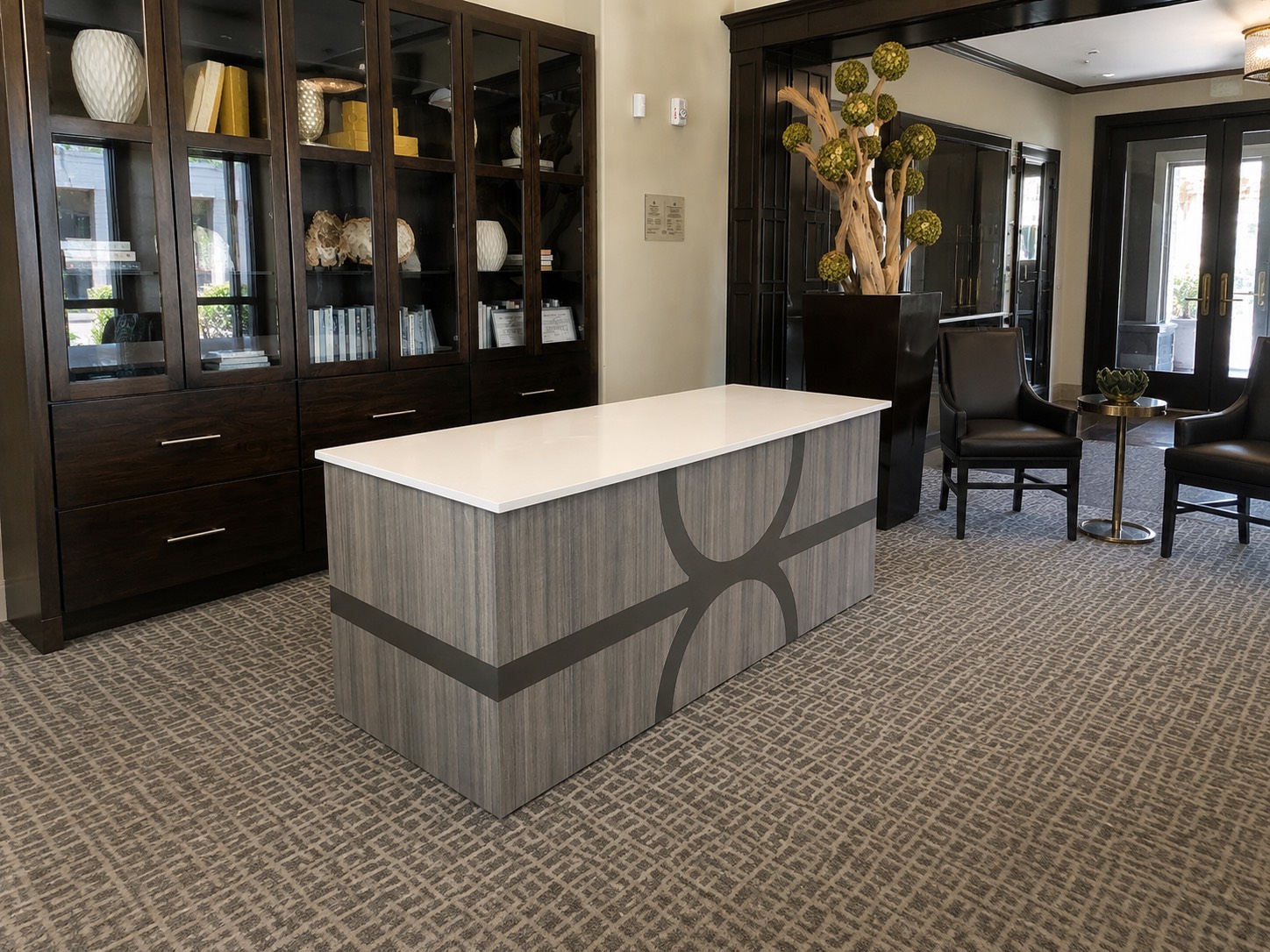
The desk can reflect the hotel’s identity through wood, stone, metal, color and lighting without creating maintenance problems.
Support the Handoff After Check-In
The transaction is not complete when the key is issued.
Guests may still need:
- Elevator directions
- Breakfast information
- Wi-Fi details
- Parking instructions
- Luggage help
- Amenity hours
- Restaurant reservations
Decide which information is spoken, printed, displayed or available digitally.
Avoid giving every guest a long verbal list at the counter. Provide clear, consistent information in a form they can reference later.
The route away from the desk should be obvious so completed guests do not cross the incoming line.
Test the Experience With Real Scenarios
Run several check-in scenarios:
- One business traveler
- Family with children and luggage
- Guest using a wheelchair
- International traveler
- Wedding group
- Mobile-check-in guest with a key problem
- Guest whose room is not ready
- Payment exception
Watch where staff search for equipment, where luggage collects and whether the next guest can understand the line.
Small operational tests can expose layout problems before construction.
Common Hotel Check-In Mistakes
Designing the desk without the queue
The surrounding floor space is part of the experience.
Treating every arrival the same
Routine, mobile, group and exception check-ins may need different paths.
Hiding staff behind a large counter
The desk should support service without becoming a barrier.
Ignoring privacy
Screens, speech and documents need protection.
Assuming technology removes the desk
Guests still need assistance when the digital process fails or does not fit their situation.
Forgetting luggage
Plan for bags beside guests and carts moving through the lobby.
Underestimating staff equipment
Key encoders, printers, payment devices and phones require usable positions.
Ending the plan at key delivery
Guests still need directions and a clear path away from reception.
Hotel Check-In Planning Checklist
Confirm:
- Guest arrival route
- Front desk visibility
- Queue
- Peak volume
- Staff positions
- Routine and exception transactions
- Mobile and kiosk paths
- Privacy
- Equipment
- Storage
- Luggage
- Accessibility
- Materials
- Lighting
- Handoff after check-in
- Budget
- Timeline
Frequently Asked Questions
What makes a good hotel check-in experience?
A good experience is easy to understand, reasonably efficient, private and supported by staff who can solve exceptions. The entrance, queue, desk, technology and route afterward should work together.
How can hotels reduce check-in lines?
Study peak arrivals, staff appropriately, separate routine and exception transactions, prepare for groups and provide useful mobile or self-service options where they fit the operation.
Should hotels still have a front desk?
Many guests use digital tools, but staffed service remains important for questions, payments, identity verification, room issues and guests who prefer personal help.
Are check-in kiosks a good idea?
They can help with predictable routine transactions when the technology is reliable and staff assistance is nearby. They need power, privacy, accessibility and a failure plan.
How many front desk positions does a hotel need?
The number depends on peak arrival patterns, transaction time, group business, technology and staffing. Observe real operating data rather than relying on one standard.
How can a hotel front desk provide more privacy?
Space stations appropriately, angle screens away from the line, control documents and verbal information, and provide a separate place for longer conversations.
What equipment belongs in a hotel front desk?
Equipment may include computers, payment terminals, key encoders, printers, phones, scanners and communication devices. Measure and plan service access for each item.
Should the front desk be one long counter or separate pods?
A long counter provides shared storage and a clear line. Pods can create more personal interactions. The right choice depends on security, staff workflow, guest volume and lobby space.
What materials work well for a hotel front desk?
Choose commercial materials that support the hotel’s identity and withstand luggage, cleaning, spills, equipment and repeated contact.
When does a custom hotel front desk make sense?
Custom furniture is useful when the desk must support specific equipment, several workstations, unusual architecture, hotel branding or an operating model that standard furniture cannot accommodate.
Continue planning
Related Hospitality Guides